

Real estate photo editing bridges the gap between raw captures and polished presentations, turning ordinary shots into inviting previews that draw clicks and showings. Yet, this process demands a delicate touch—enhance too little, and properties fade into the background; push too far, and you risk eroding buyer trust with images that feel fabricated.
Real estate photo editing comes with unique challenges, from battling harsh lighting to correcting lens quirks, all while preserving the property’s true essence. Editors and agents often grapple with issues like inconsistent colors or distorted perspectives that can misrepresent spaces. The key lies in solutions that prioritize realism, ensuring photos reflect what buyers will see in person. For instance, techniques like HDR blending address exposure woes without creating unnatural glows, while careful color tweaks maintain authentic tones.
By tackling these common real estate photo editing problems head-on, professionals can craft listings that not only captivate but also build credibility. This approach aligns with industry standards, where truthful representation fosters repeat business and positive reviews. In the sections ahead, we’ll explore frequent pitfalls and proven fixes, backed by expert insights to elevate your listings.
Common Real Estate Photo Editing Problems Explained with Clear Solutions
Navigating real estate photo editing mistakes requires a structured approach to identify issues and apply targeted fixes. Agents and photographers frequently encounter hurdles that diminish a property’s appeal, such as lighting imbalances or visual clutter. Addressing these enhances online visibility and accelerates sales.
This overview breaks down prevalent challenges, drawing from industry practices. For example, overexposed areas often stem from window glare, while color casts arise from mixed indoor lights. Solutions range from software tools like Photoshop for precise adjustments to outsourcing for efficiency.
By implementing these strategies, listings gain a professional edge, standing out in competitive markets. Consistency across photos also strengthens brand identity, making portfolios more cohesive.
1. Exposure Issues That Misrepresent Property Space and Mood
Problem: Overexposed Highlights and Underexposed Shadows
Blown-out windows obscure scenic views, leaving exteriors washed out and uninviting. Dark interiors compress spaces, creating a cramped, unappealing atmosphere that deters potential buyers. These exposure extremes distort the property’s true ambiance, leading to fewer inquiries.
Solution: HDR Blending and Exposure Correction for Balanced Images
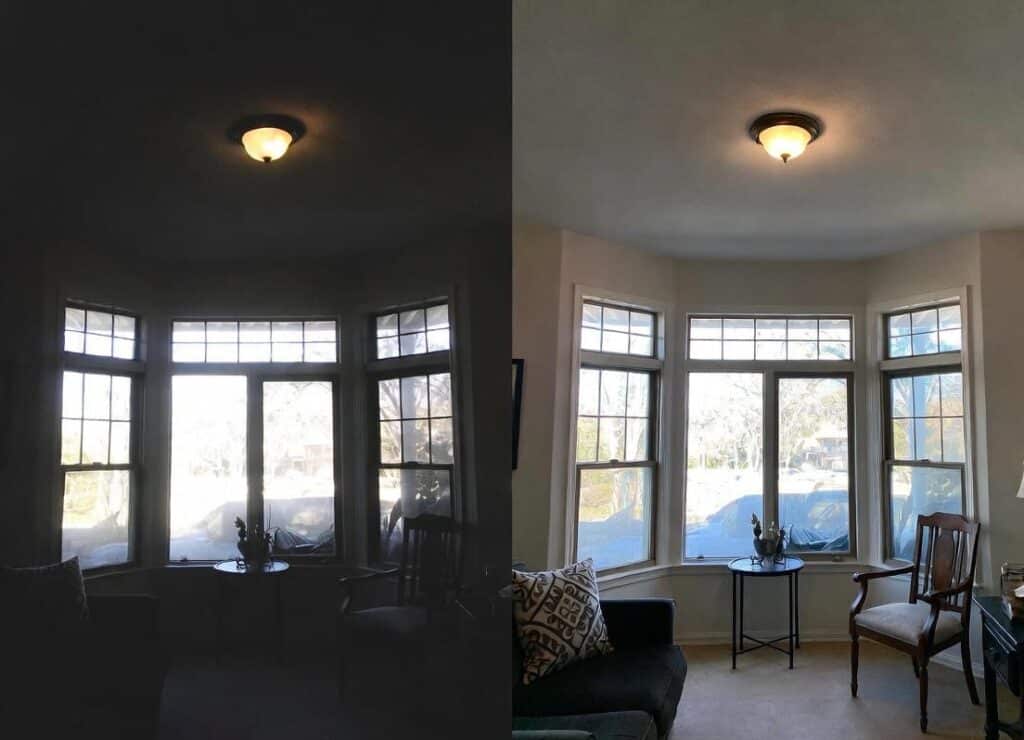
Overcoming Overexposure in Real Estate Interiors with HDR
Merge multiple bracketed exposures using HDR software to capture details in both bright and dim areas. This preserves natural window views while brightening rooms authentically. Tools like Lightroom’s HDR merge automate the process, but manual blending ensures subtlety—avoid aggressive contrasts that scream “edited.”
Start with a base exposure, layer in darker shots for highlights, and use masks for precision. The result? Images that feel spacious and welcoming, boosting viewer engagement without artificial flair.
2. Inaccurate Color and White Balance That Reduce Visual Appeal
Problem: Yellow, Blue, or Green Color Casts Across Photos
Mixed lighting sources—like incandescent bulbs and daylight—create inconsistent tones, making rooms appear dingy or unnatural. This unprofessional look confuses buyers and diminishes the property’s charm.
Solution: White Balance Adjustment and Consistent Color Correction
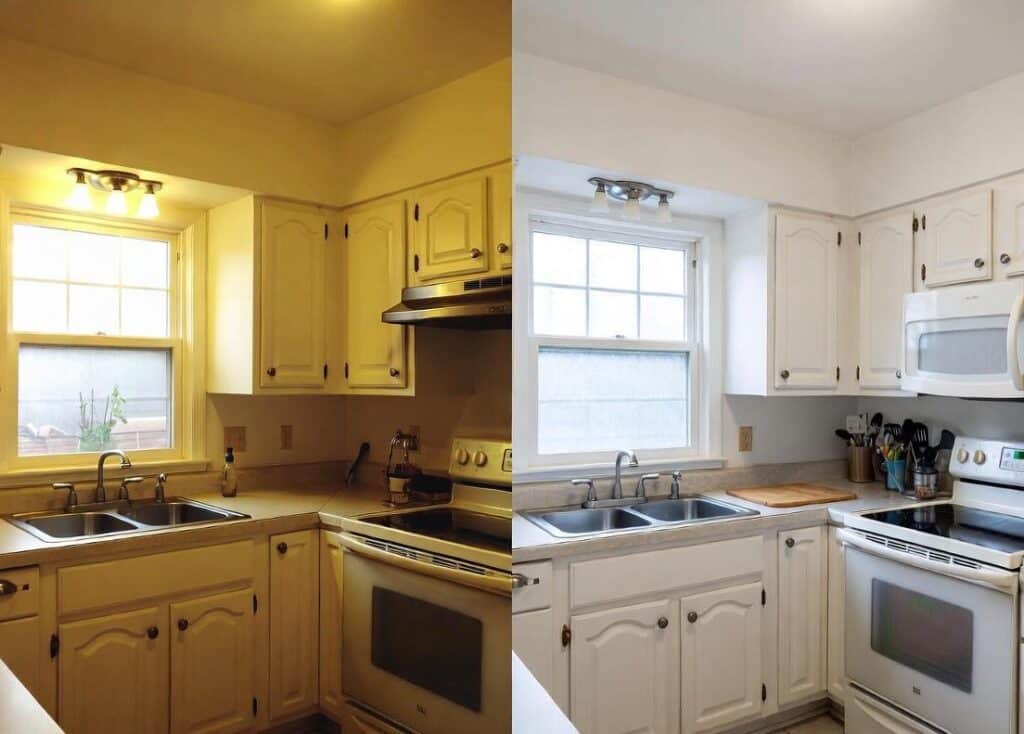
Correcting Yellow Color Casts for Professional Real Estate Photos
Select a neutral surface, such as a white wall, with the eyedropper tool in editing software to neutralize casts. Apply uniform corrections across all images in a batch for cohesion. Gray cards during shoots provide a reference point for accurate post-processing.
This method restores true colors, enhancing vibrancy while keeping edits realistic. Regular calibration of monitors ensures consistency, preventing overcorrections that could alienate viewers.
3. Distorted Lines and Perspective Errors from Wide-Angle Lenses
Problem: Leaning Walls and Curved Vertical Lines
Wide-angle lenses exaggerate edges, making structures appear unstable or poorly constructed. This raises doubts about the property’s integrity, turning off discerning buyers.
Solution: Lens Correction and Tilt Correction Tools
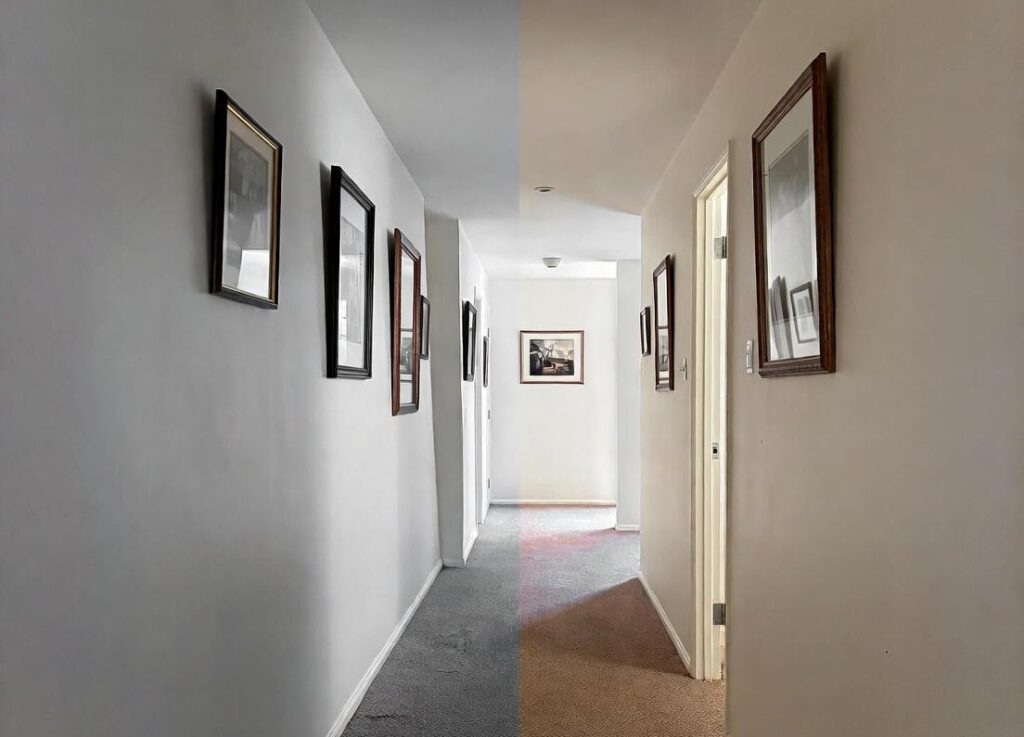
Straightening Distorted Perspectives in Property Photography
Employ guided upright tools in Photoshop or Lightroom to align verticals and horizontals. Correct barrel distortion by applying lens profiles, maintaining proportions without unnatural stretching.
Shoot at eye level and use tilt-shift lenses for in-camera fixes where possible. These steps deliver clean, trustworthy images that accurately showcase architecture.
4. Dull Exterior Skies That Hurt Curb Appeal
Problem: Flat, Gray, or Overcast Skies
Lackluster skies drain energy from exterior shots, making properties blend into dull surroundings and fail to capture attention online.
Solution: Natural Sky Replacement and Twilight Conversion
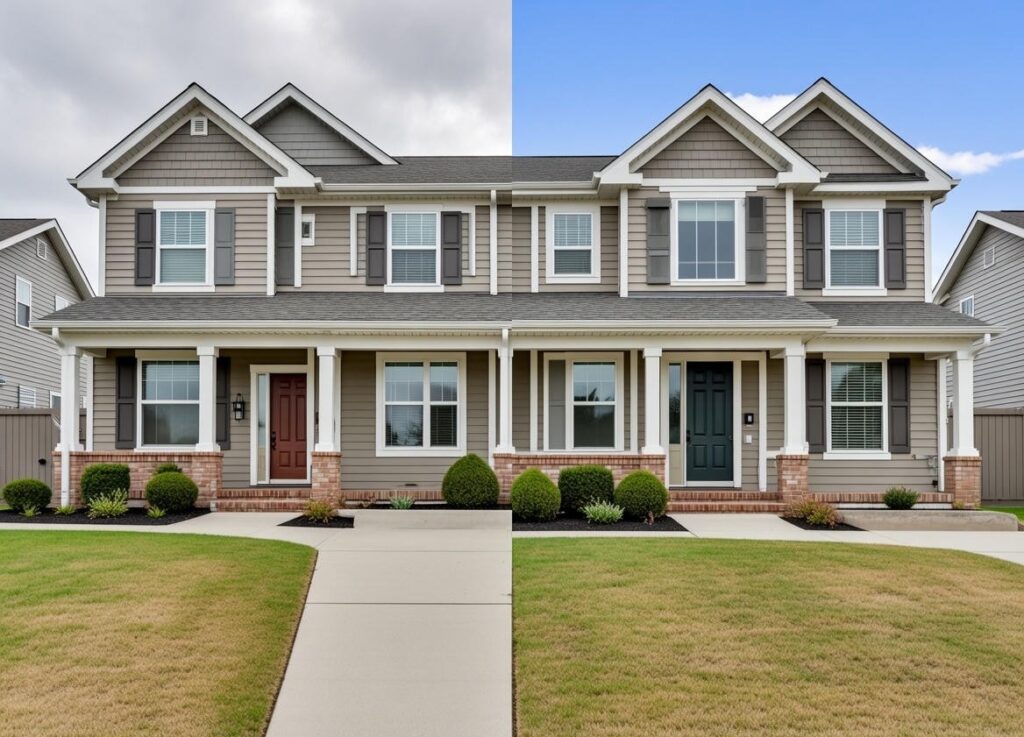
Revitalizing Dull Skies with Seamless Replacement
Replace skies with matching alternatives using AI tools, blending edges seamlessly to match scene lighting. Convert daytime shots to twilight for added drama, but keep tones realistic to avoid fakeness.
Source skies from similar conditions for authenticity, enhancing emotional pull without misleading viewers.
5. Clutter and Distractions That Pull Focus from the Property
Problem: Personal Items and Temporary Objects in Photos
Visible cords, bins, or knick-knacks shift attention from key features, making spaces feel chaotic and less desirable.
Solution: Digital De-Clutter and Careful Object Removal
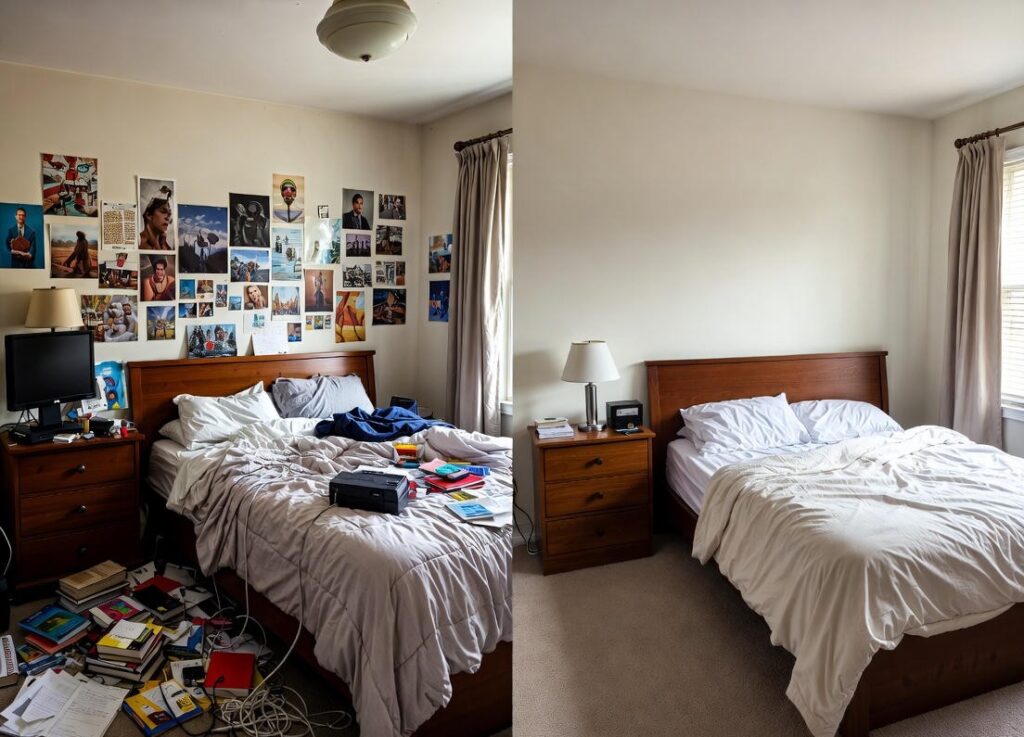
Decluttering Real Estate Photos for Clearer Property Focus
Use cloning or content-aware fill to erase temporary distractions selectively. Stick to removals that don’t alter permanent elements, preserving honesty.
Prep scenes physically first to minimize edits, ensuring photos highlight the property’s strengths cleanly.
6. Over-Editing That Damages Buyer Trust and Listing Credibility
Problem: Excessive HDR, Saturation, or Sharpening
Over-processed images appear cartoonish, leading buyers to question the listing’s accuracy and feel tricked upon viewing.
Solution: Subtle Photo Enhancement with Realism in Mind
Apply incremental adjustments, stepping back to review for naturalness. Use histograms to guide saturation and sharpening, avoiding extremes.
Calibrate tools to client styles for restrained, credible results that build confidence.
7. Missing Window Views and Blown-Out Glass Areas
Problem: White Windows Hide Outdoor Scenery
Overexposed glass flattens interiors, erasing valuable views and making rooms seem isolated.
Solution: Exposure Blending and Window Pull Techniques
Layer underexposed frames over windows using masks to reveal exteriors while balancing indoor light. This technique integrates views naturally.
Automate with plugins for efficiency, delivering immersive photos that connect inside and out.
8. Image Noise and Grain from Low-Light Interior Photography
Problem: Grainy Textures Reduce Image Quality
Low light amplifies sensor noise, resulting in speckled images that look amateurish.
Solution: Selective Noise Reduction with Detail Control
Target noisy areas with tools like Lightroom’s denoise slider, preserving textures on surfaces. Shoot at lower ISOs and use tripods to minimize issues upfront.
This refines quality without softening important details.
9. Composition and Framing Mistakes That Weaken Visual Flow
Problem: Poor Cropping and Awkward Framing
Cut-off features or imbalanced shots disrupt harmony, making photos feel amateur.
Solution: Smart Image Cropping and Composition Correction
Adhere to platform ratios, ensuring elements like doors stay intact. Use rule-of-thirds grids for balanced framing.
Adjust in post to refine flow, creating engaging visuals.
10. Advanced Enhancement Options Buyers Notice Instantly
Virtual Staging to Help Buyers Imagine the Space
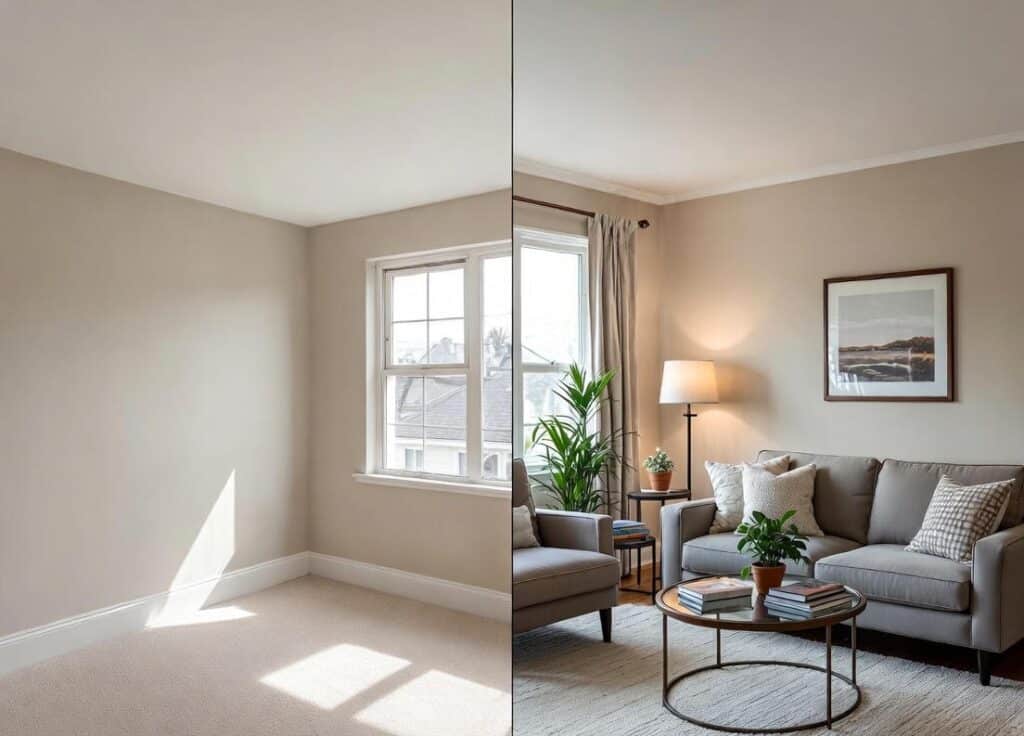
Virtual Staging: Turning Empty Rooms into Inviting Homes
Digitally furnish empty rooms to spark vision, using realistic styles that match property vibes. This boosts interest without physical costs.
Panorama Stitching for Wide, Immersive Room Views
Stitch shots into 360-degree panoramas for expansive feels, ideal for open layouts.
Virtual Tour Creation for Interactive Property Experiences
Link panoramas into tours for virtual walkthroughs, increasing engagement and remote appeal.
11. Consistency Problems Across Listings and Portfolios
Problem: Different Styles Across the Same Property
Varying edits confuse viewers and dilute professional branding.
Solution: Style Consistency and Batch Photo Enhancement
Develop presets for exposure and color, applying them uniformly. Batch process in software for efficiency.
This unifies portfolios, reinforcing trust.
Editing Ethics and Truthful Representation
Why Realistic Editing Protects Buyer Trust and Agents
Stick to enhancements that reflect reality, avoiding removals of flaws like cracks. Follow MLS rules to prevent legal issues and maintain integrity.
Ethical edits foster long-term relationships, as buyers appreciate honesty over hype.
Measuring ROI of Edited Real Estate Photos
How Better Photos Impact Clicks, Showings, and Days on Market
High-quality edits can slash market time by 32% and lift prices by 1-10%.
Simple A/B Testing Ideas for Agents and Teams
Compare edited vs. unedited listings on metrics like views and offers to quantify gains.
| Metric | Unedited Impact | Edited Impact |
| Days on Market | Longer | Shorter by up to 32% |
| Sale Price | Standard | Higher by 1-10% |
| Click-Through Rate | Lower | Increased engagement |
Quick Troubleshooting Checklist for Editors and Agents
| Problem | Cause | Solution |
| Overexposed Windows | Bright outdoor light | Use HDR blending to merge exposures |
| Color Casts | Mixed lighting | Adjust white balance with eyedropper on neutrals |
| Distorted Lines | Wide-angle lens | Apply lens correction tools |
| Dull Skies | Overcast weather | Replace with natural sky matches |
| Clutter | On-site distractions | Digital removal of temporary items |
| Over-Editing | Excessive adjustments | Make subtle changes and review |
| Noisy Images | Low light, high ISO | Selective noise reduction |
| Poor Framing | Bad composition | Crop to standards, balance elements |
This format streamlines workflows for quick fixes.
FAQs On Real Estate Photo Editing Problems & Their Solutions
What are common real estate photo editing mistakes?
Frequent errors include over-saturation, poor object removal, and inconsistent white balance, which make images look unrealistic. Fix by analyzing images first and applying subtle corrections.
How to fix overexposed real estate photos?
Bracket shots and blend via HDR to balance highlights and shadows, preserving details without harsh contrasts.
What causes inconsistent white balance in real estate photos?
Mixed light sources like bulbs and windows. Correct by setting white balance in-camera or post-processing with references.
Are sky replacements ethical in real estate photos?
Yes, if they match natural conditions and don’t mislead; disclose if needed to maintain trust.
How does virtual staging affect real estate listings?
It helps buyers visualize, potentially speeding sales, but use realistically to avoid overpromising.
Wrapping Up
Real estate photo editing, when done right, transforms listings into trustworthy invitations that accelerate deals. By balancing enhancements with honesty, agents avoid common pitfalls and deliver visuals that resonate. Key takeaways: Prioritize subtle fixes, maintain consistency, and uphold ethics for lasting impact.
Ready to elevate your listings? Explore Our professional real estate photo editing services today to unlock faster sales and higher returns.