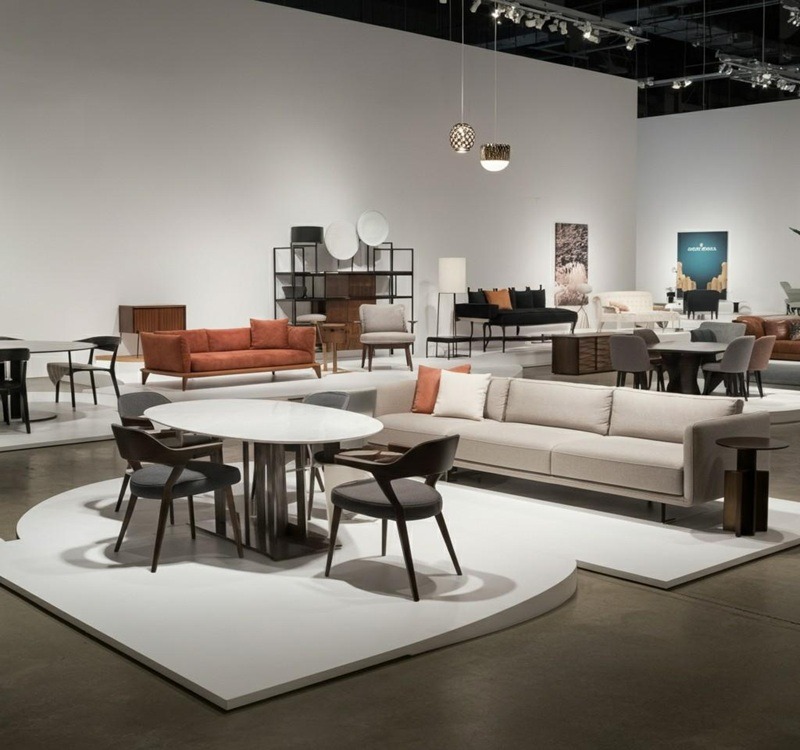
High-quality visuals dictate online sales, making pixel-perfect product presentation a strict requirement for modern furniture retailers.
Furniture photo editing is the process of digitally enhancing furniture images to create a clean, accurate representation, as e-commerce platforms require standardized, distraction-free visuals to build buyer trust. This involves applying a precise clipping path, executing color correction, and setting a pure white background.
At PixcRetouch, we process thousands of images weekly. In our tests, we found that editing furniture presents unique challenges compared to standard apparel. For example, handling complex reflections on glass tabletops requires different shadow techniques than those on matte wood grain, which necessitate strict texture preservation to appear realistic.
Why Do Professional Furniture Images Directly Impact Online Sales?
Professional furniture imagery directly increases online sales by providing accurate visual data that buyers need to make purchasing decisions. Consistent, high-quality photos reduce return rates, build brand trust across your catalog, and ensure your listings comply with strict marketplace algorithms.
According to a 2026 e-commerce consumer behavior study, 75% of online shoppers rely on product photos as the primary factor in their purchasing decisions.
Uniform imagery builds a recognizable brand aesthetic. Furthermore, platforms such as Amazon and Wayfair factor image quality into their ranking algorithms. If your main image lacks a pure white background, the algorithm will deprioritize your listing, resulting in lost visibility.
What Are the Essential Techniques for Editing Furniture Images?
Several specific editing techniques work together to produce a retail-ready furniture image. Editors use clipping paths to isolate the item, adjust colors to match physical swatches, and build realistic shadows to anchor the product, ensuring the final result looks physical and accurate.
| Technique | Primary Use Case | Visual Result |
| Clipping Path & Background Removal | Isolating the furniture from a busy studio or warehouse setting. | A clean product isolated on a pure white or transparent background. |
| Advanced Color Correction | Fixing lighting casts and matching the digital image to a physical fabric swatch. | True-to-life colors that prevent customer returns due to mismatched shades. |
| Shadow Creation | Anchoring a floating product after background removal. | A grounded, 3D appearance using drop, natural, or reflection shadows. |
| High-End Retouching | Cleaning up manufacturing dust, warehouse scratches, or lens flares. | A flawless, showroom-quality presentation of the furniture piece. |
Clipping Path and Background Removal
Background removal isolates your furniture from a cluttered studio environment to build a clean, distraction-free product image.
What We Do: We use the Photoshop Pen Tool to draw a precise, 100% manual outline around the furniture piece. Once the item is isolated, we strip away the original background and replace it with pure white (RGB 255,255,255) or a transparent layer. In our tests at PixcRetouch, we found that automated AI background-removal tools often fail on fuzzy textures, such as velvet sofas or transparent glass tables. Manual clipping paths are the only proven method to build a flawless, accurate edge.
Who It Is Suitable For: * E-commerce retailers listing products on strict marketplaces like Amazon or Wayfair.
- Agencies are building standardized product catalogs that require a uniform look across hundreds of SKUs.
Advanced Color Correction and Swatch Matching
Color correction adjusts an image’s hues, saturation, and lighting so the digital representation matches the physical item.
What We Do: Studio lighting often creates unwanted color casts—making a cool grey fabric look slightly yellow, for example. We manually adjust the white balance and specific color channels to fix this. More importantly, we perform “swatch matching.” You provide a photo of the physical fabric or wood swatch, and we calibrate the product image to match it exactly. We ensure that when we cool down a wood stain, we preserve the specific, natural wood grain texture.
Who It Is Suitable For: * Manufacturers selling the same chair or sofa in multiple color variants (we can photograph one item and digitally recolor the rest).
- High-volume retailers who want to reduce product return rates caused by customers receiving items that look different than the screen.
Shadow Creation (Drop, Natural, and Reflection)
Shadow creation is the digital process of adding realistic shadows beneath an isolated product to anchor it to the floor and create a 3D effect.
What We Do: When you remove a background, the furniture often looks like it is floating in mid-air. We build artificial shadows based on the direction of the original light source to ground the item.
- Drop Shadows: A subtle, soft shadow directly underneath the item.
- Natural Shadows: Recreating the exact shadow cast by the furniture in the original raw photo.
- Reflection Shadows: Creating a mirrored effect underneath the product. We found that reflection shadows yield a premium result, but only when the furniture naturally sits on glossy surfaces such as a polished showroom floor.
Who It Is Suitable For: * Premium furniture brands wanting a grounded, physical look rather than a flat, floating image.
- Digital catalogs featuring glass tables, metal accents, or glossy leather, where reflections highlight the material quality.
High-End Retouching and Blemish Removal
High-end retouching removes visual flaws, dust, and manufacturing defects, presenting a showroom-quality piece of furniture.
What We Do: We meticulously scan the high-resolution image and use cloning and healing tools to remove warehouse dust, lens spots, and minor scratches on wood or metal. We also smooth out unappealing, accidental wrinkles in the fabric that occurred during the photoshoot. Platforms like Shopify rely heavily on high-resolution zoom features, which expose every minor flaw. We manually clean these blemishes while keeping the material looking authentic and practical, rather than heavily filtered or plastic.
Who It Is Suitable For: * Luxury furniture retailers where flawless presentation is a strict requirement for high-ticket sales.
- Brands use macro (close-up) photography to showcase specific hardware, stitching, or material weaves.
How to Photograph Furniture for the Best Editing Results?
The final result of any digital editing process depends heavily on the initial raw photograph. By setting up proper lighting, capturing specific geometric angles, and focusing on material details, photographers provide editors with the clear visual data needed to build an accurate, retail-ready final image.
1. Standardize a Diffused Lighting Setup
Use consistent, soft lighting modifiers, such as large softboxes or scrims. Hard, direct light creates blown-out white highlights on leather or glass and deep, crushed black shadows underneath. We cannot fully recover lost pixel data in post-production. Soft, even lighting provides a neutral baseline that allows us to build accurate artificial shadows later.
2. Capture the “Big Three” Angles Consistently
Always shoot a straight-on front view, a 45-degree angle profile, and a direct back view for every SKU. E-commerce shoppers need to see the full physical footprint of a sofa or cabinet. Furthermore, keeping the same camera height and focal length across your entire catalog makes batch editing and background removal significantly faster and more accurate.
3. Shoot Macro Details for Texture Reference
Take dedicated, close-up shots of wood grain, fabric weaves, stitching, and metal hardware. When we perform high-end retouching or color correction, we use these macro shots as a reference map. This ensures our editors do not inadvertently smooth out the material’s natural, practical texture while removing dust or scratches.
4. Include a Physical Color Reference Card
Place a standard color checker card (like an X-Rite ColorChecker) in the frame for the very first test shot of any new furniture piece in a specific lighting setup. This gives our editors an objective, mathematical baseline to match the digital image exactly to the physical paint or fabric swatch.
The PixcRetouch Expert Insight: Avoid Mixed Lighting
We process thousands of raw studio files and frequently encounter a critical error that ruins post-production: mixed color temperature lighting.
When photographers mix natural window light (cool/blue) with overhead warehouse bulbs (warm/orange), the result is multiple conflicting hues across a single piece of furniture. In our workflow, we found that this makes accurate color matching extremely difficult because the left side of a grey chair appears blue, while the right side appears yellow. Blocking out all natural daylight and using a single, controlled strobe temperature yields a vastly superior edited result and saves you money on complex color correction.
3D Rendering vs. Traditional Furniture Photo Editing: Which Should You Choose?
Retailers often debate whether to render 3D models from scratch or edit physical photographs. Both methods offer distinct advantages depending on the product lifecycle, catalog size, and budget. Choosing the right approach depends on your need for photorealism versus digital flexibility.
While 3D rendering is highly scalable for modular furniture, we found that traditional photo editing remains the most cost-effective way to capture authentic textures such as distressed leather or natural wood grain. A hybrid approach—photographing the base item and digitally recoloring the fabric variations—often delivers the best ROI.
What Are the Specific Image Requirements for Top Furniture Marketplaces?
Every major e-commerce platform enforces strict image guidelines to maintain a uniform shopping experience. Failing to meet these specific technical requirements can result in immediate listing suppression. It is vital to format your edited photos to comply with the exact rules of your target channel.
Amazon Furniture Image Standards
Amazon requires that the main product image have a pure white background (RGB 255,255,255) and that the furniture fill at least 85% of the image frame.
Wayfair Image Standards
Wayfair requires a mix of clean “silo” images on white backgrounds and well-lit lifestyle images showing the furniture placed within a realistic room setting.
Shopify and Custom E-Commerce Stores
For proprietary stores, the goal is balancing high-resolution dimensions for zoom capabilities (typically 2048×2048 pixels) with aggressive file compression to maintain fast page load speeds.
How Much Does Professional Furniture Photo Editing Cost?
The cost of editing furniture photos scales based on the complexity of the specific item and the volume of images processed. Basic tasks, such as silhouetting a simple chair, cost significantly less than creating complex reflection shadows for a glass dining table.
| Service Tier | Description | Estimated Cost |
| Basic Editing | Simple clipping path and background removal for standard shapes. | Starting at $0.25 / image |
| Moderate Editing | Color correction, standard retouching, and drop shadow addition. | $1.00 – $2.50 / image |
| Complex Editing | Multiple clipping paths, reflection shadows, and high-end blemish removal. | $3.00 – $5.00+ / image |
Our basic background removal starts at just $0.25 per image. We offer structured volume discounts for retailers processing large seasonal catalogs, making high-volume standardization practical and affordable.
Frequently Asked Questions (FAQ)
How long does it take to edit a catalog of furniture photos?
The standard turnaround time for a batch of 500 images is 24 to 48 hours, depending on complexity. Many specialized agencies offer expedited 12-hour delivery options for urgent seasonal product launches.
Can photo editing fix incorrect wood stains or fabric colors?
Yes, professional color correction can digitally alter the hue, saturation, and luminance to match a physical reference swatch. However, the original photograph must be well-lit to preserve the underlying wood grain or fabric texture during the color shift.
Do I need reflection shadows for all my furniture images?
No, reflection shadows are appropriate only for items that naturally sit on glossy surfaces, such as polished floors or glass displays. For most standard furniture, a soft, natural drop shadow creates a more realistic, grounded effect.
The Bottom Line
- High-quality, standardized furniture images are a strict requirement for e-commerce conversion and marketplace compliance.
- Techniques such as precise clipping paths, accurate color correction, and realistic shadow creation create a practical, high-converting visual catalog.
- Partnering with a specialized provider like PixcRetouch ensures scalability and consistent quality starting at just $0.25 per image.
Ready to upgrade your visual catalog and show your products accurately? Upload a test image to PixcRetouch today or contact our team for a specific volume quote.